While FileZilla Server and FileZilla Pro Enterprise Server share the same architectural foundation and support remote file transfer, they are designed to address very different operational needs.
- FileZilla Server is a free, open-source file transfer server supporting FTP and FTPS, suitable for individuals, developers, and small teams.
- FileZilla Pro Enterprise Server is a commercial enterprise file transfer server designed for professional environments. It extends the core feature set with functionality intended, including SFTP for SSH-based file transfers, two-factor authentication for stronger access control, and Active Directory integration for centralized user management.
Choosing between the two depends on protocol requirements, security expectations, and the need for enterprise-grade features and vendor support.
FileZilla Server
FileZilla Server is an open-source FTP and FTPS server available for Windows, Linux and macOS. It provides a clear and efficient interface for configuring users, groups, permissions, and network access, making it a reliable solution for standard file transfers.
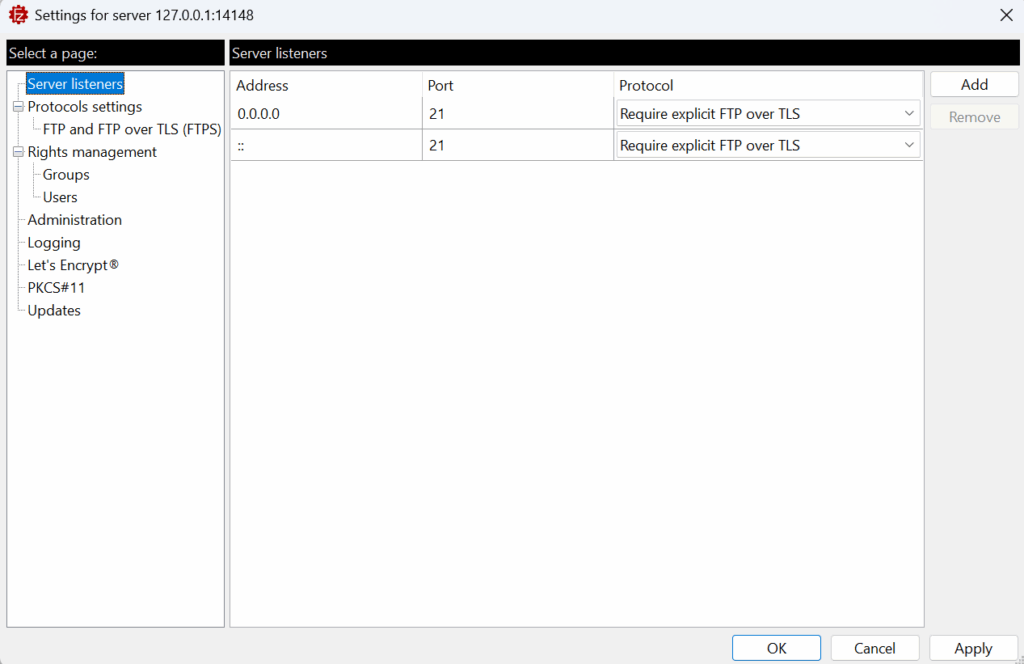
Key characteristics
- Free and open source (GNU, AGPL)
- Supports FTP and FTP over TLS (FTPS)
- Integrated Let’s Encrypt® certificate generation
- User and group-based permission management
- IP filtering, logging, and real-time connection monitoring
When to use FileZilla Server
- Personal or small-team file transfer scenarios
- Internal file exchange within local or controlled networks
- When you do not require dedicated technical support
- Evaluating FileZilla Server functionality before upgrading to FileZilla Pro Enterprise Server
FileZilla Server is ideal for environments where FTP or FTPS covers all needs.
FileZilla Pro Enterprise Server
FileZilla Pro Enterprise Server is a commercial enterprise file transfer server designed for organizations that require secure SSH-based file transfers, centralized user management, and vendor-backed support.
It extends the FileZilla Server foundation by adding native SFTP support and enterprise-focused features aimed at controlled, long-term deployments.
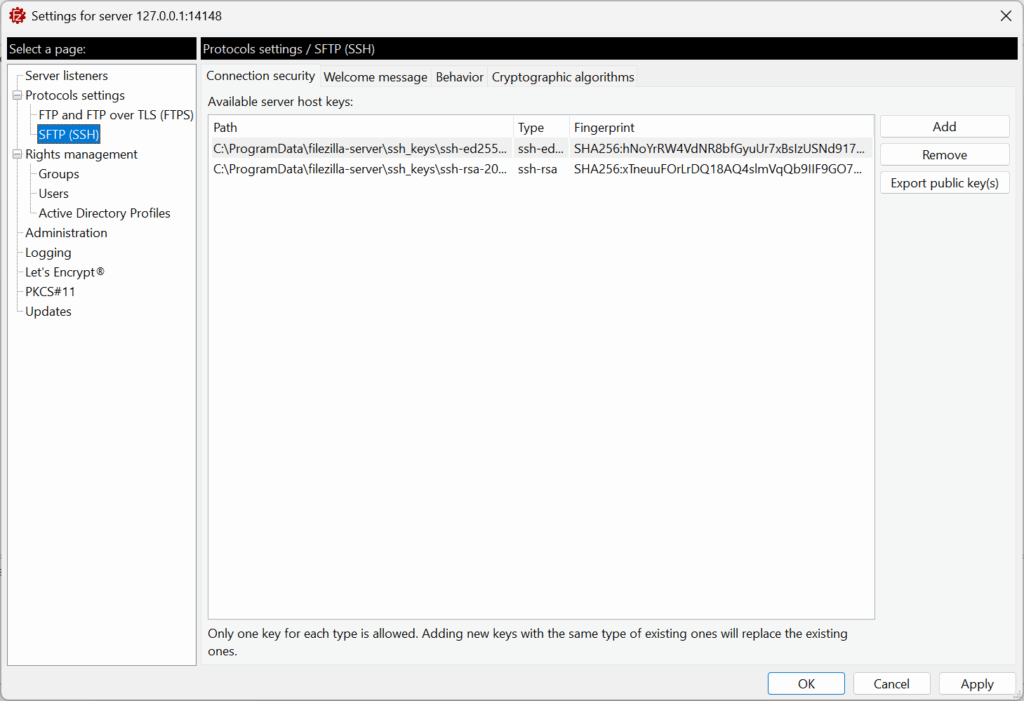
Key characteristics
- Native support for SFTP (SSH File Transfer Protocol)
- Two-Factor Authentication (2FA)
- Active Directory integration for centralized user management
- Commercial license with professional technical support
- Designed for enterprise-scale file transfer operations
When to use FileZilla Pro Enterprise Server
- Requiring SFTP for secure file transfer workflows
- Managing users through Active Directory
- Needing vendor-provided support and maintenance
FileZilla Server Comparison: Standard vs Enterprise File Transfer Server
The following table summarizes the core differences between FileZilla Server and FileZilla Pro Enterprise Server to help identify the most suitable file transfer solution.
| Feature | FileZilla Server | FileZilla Pro Enterprise Server |
|---|---|---|
| License | Open Source (GNU AGPL) | Commercial |
| Supported Protocols | FTP, FTPS | FTP, FTPS, SFTP |
| Authentication Methods | Password | Password, SFTP Key, 2FA |
| Directory & User Management | Local users and groups | Local users and groups, Active Directory |
| Access Control | Permissions, IP Filter | Permissions, IP Filter |
| Support Model | Community-based | Professional vendor support |
Summary: Choose FileZilla Pro Enterprise Server when your organization needs SFTP, two-factor authentication (2FA), Active Directory integration (AD), and professional support, or when FTP and FTPS alone do not meet operational requirements. Alternatively, FileZilla Server is the ideal choice for smaller, less complex environments that require reliable FTP/FTPS and an open-source (GNU AGPL) license, where community-led forum support is sufficient.