Beta feature: not in the current release. The protocol policy options and the default system user settings described in this article are part of the FileZilla Pro Enterprise Server beta. They are not available in the current stable release. If you installed the current release, you will not see these options.
Want to test them? See How to test the beta below.
In the FileZilla Pro Enterprise Server beta, two settings control what each account can reach on the server. The default system user sets the operating-system account used for filesystem access. Protocol policies decide which protocols and features are available at system, group, and user level.
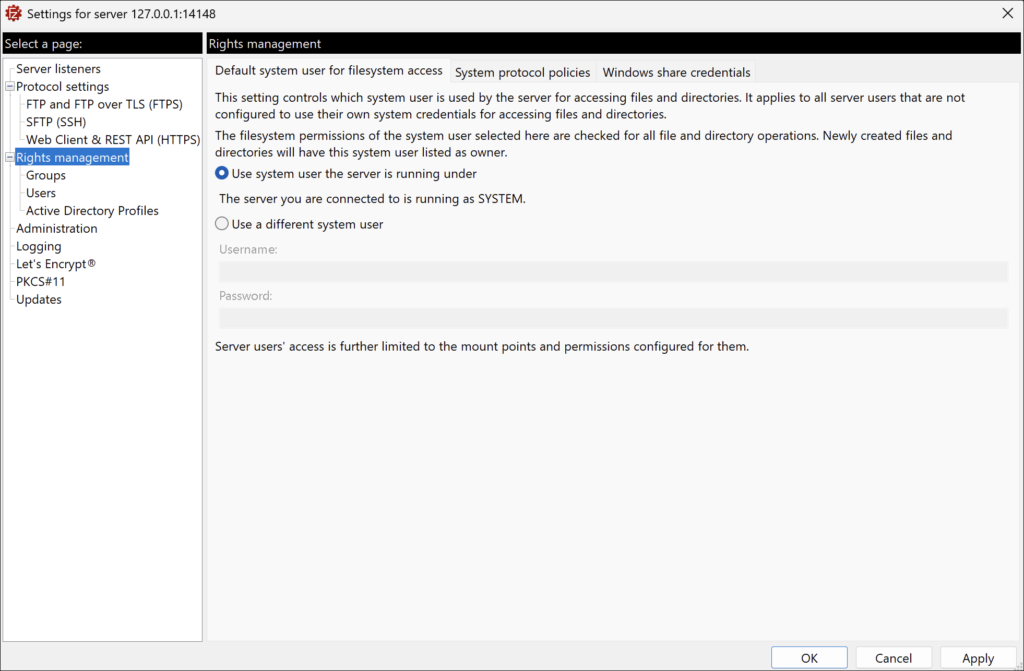
Default system user for filesystem access
In beta, the Rights management page lets you choose the operating-system account the server runs file operations under. You can select the system user the server is running under, or enter a different system user.
System protocol policies
System protocol policies set the baseline for the whole server. Each policy is either Enabled or Disabled. The table lists the five system-level policies and their defaults as stated in the beta user guide.
| Policy | Default (beta) |
|---|---|
| FTP (insecure) | Enabled by default |
| FTPS | Enabled by default |
| SFTP | Not stated in the guide |
| Web Client & API authentication | Enabled by default |
| Web Client file sharing | Enabled by default |
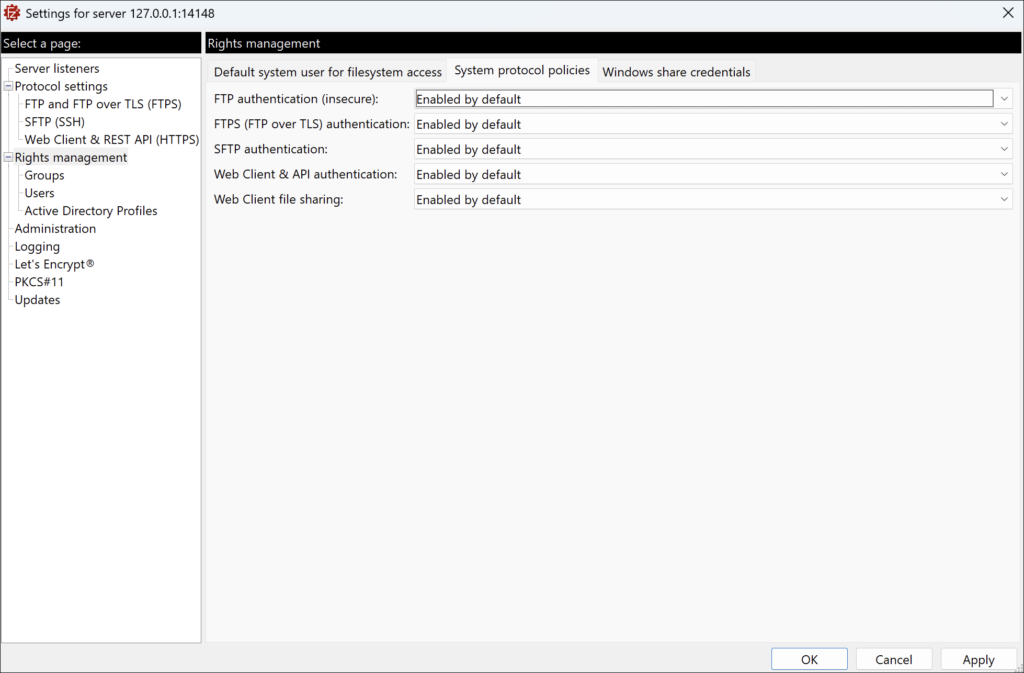
In beta, Web Client file sharing also requires public file sharing to be enabled under Protocol settings, Web Client & REST API (HTTPS), Customization tab.
Overriding protocol policies for groups
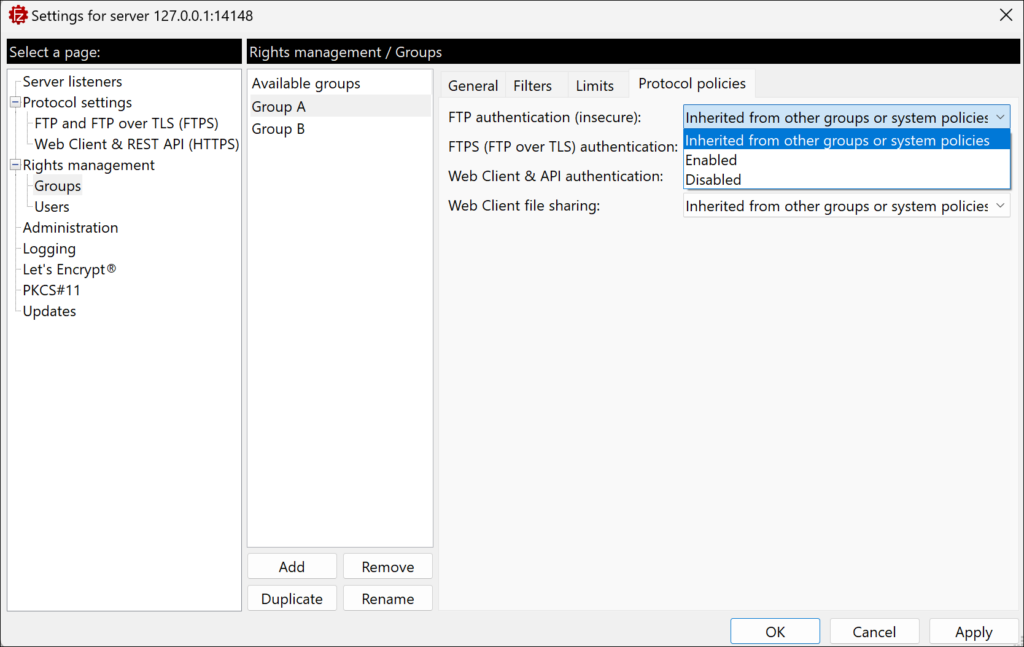
In beta, each group can be set to Enabled, Disabled, or Inherited from other groups or system policies. The default is inherited. When a user belongs to several groups, the group order decides which group setting applies first. You change the order with the Up and Down buttons.
Overriding protocol policies for users
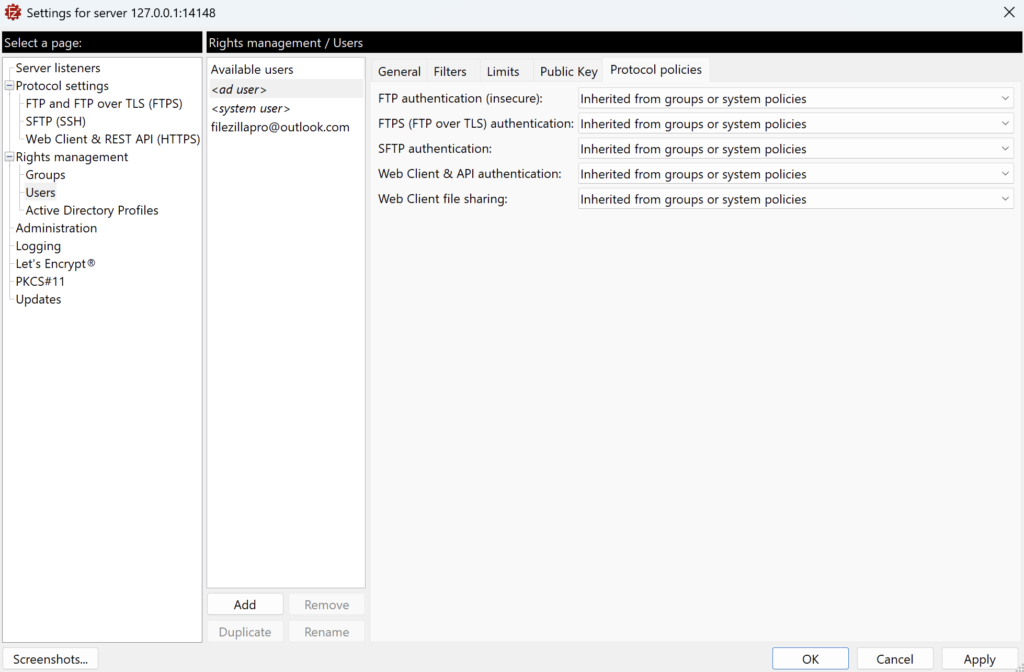
In beta, each user has its own Protocol policies tab, under Rights management, Users. Each of the five policies can be set to Enabled (overrides group policies), Disabled (overrides group policies), or Inherited from groups or system policies, which is the default. A user-level setting always takes precedence over group and system settings.
How conflicts are resolved
In beta, the server applies the first setting it finds, in this order:
- The user-level setting, if it is Enabled or Disabled.
- The setting from the first group in the user’s group order that defines the policy.
- The system protocol policy.
Windows share credentials
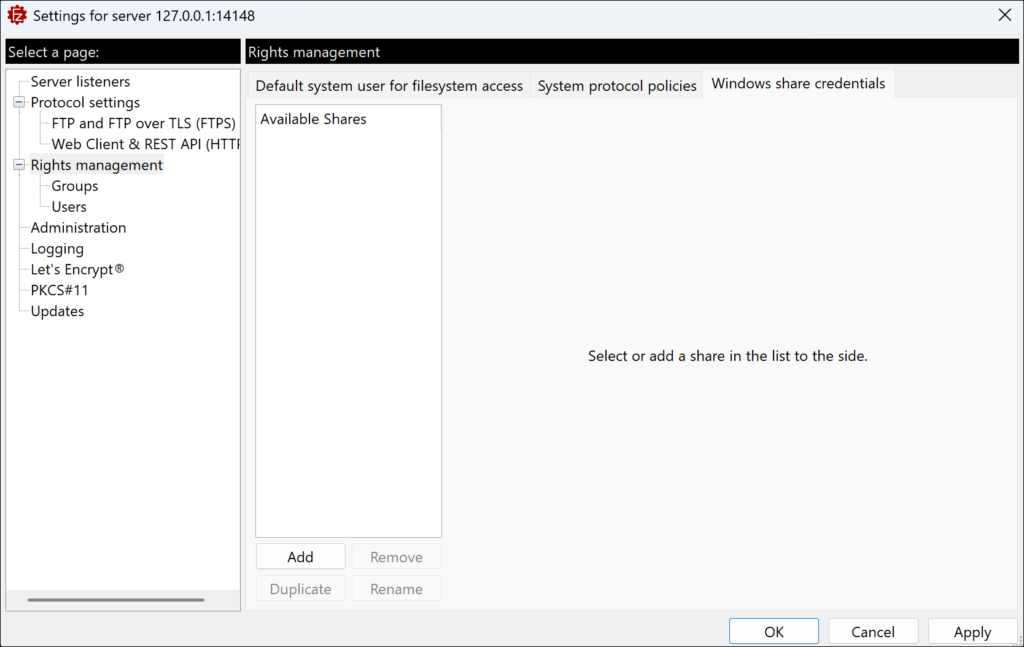
In beta, if a user needs access to a Windows network share, you can store share credentials for that share in the server configuration. The beta guide warns that these credentials are stored in plain text, so restrict access to the server configuration accordingly.
Related
Related articles: The FileZilla Server Web Interface Is Here.