RemoteDrive and CloudMounter both enable macOS users to mount cloud storage as local disks, but they approach session management, protocol breadth, and pricing with different priorities:
- RemoteDrive (“Active” Model): Designed for a clean, secure, and high-performance workflow. It operates only while the app is active, ensuring that when you quit the application, your workspace is immediately cleared of remote connections.
- CloudMounter (“Hybrid” Model): Offers a feature-dense environment with a wider array of niche cloud protocols. While it follows a more traditional mounting logic, it attempts to bridge the gap between persistence and reliability upon application restart, though results can vary depending on the system state.
RemoteDrive
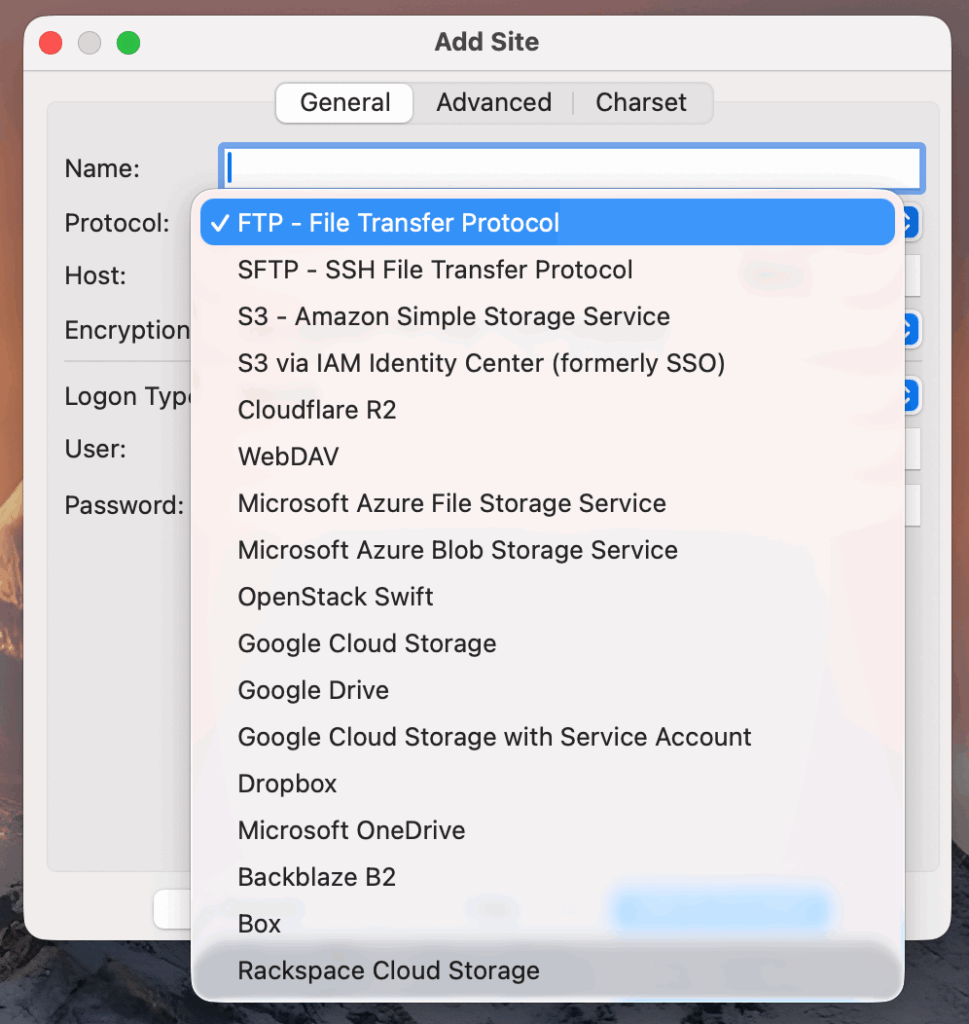
- Optimized Transfer Engine: Leverages the specialized FileZilla Pro core, engineered for maximum transfer speeds and the ability to handle thousands of files simultaneously without bottlenecking.
- The Active Model: Connections exist only while the app is running. Quitting the app automatically cleans up the Finder sidebar, preventing “ghost” drives or disconnected file errors.
- Enterprise Protocol Set: Focuses on robust enterprise standards, including Google Cloud and Microsoft Azure (not supported by CloudMounter), alongside FTP, FTPS, SFTP, Amazon S3, Backblaze B2, Box, Cloudflare R2, Dropbox, G Drive, OneDrive, Openstack Swift, Rackspace, and WebDAV.
RemoteDrive is built for users who value speed and architectural cleanliness. Its “Active Model” ensures that every connection starts fresh, eliminating the sync glitches or folder duplications common in more persistent mounting tools.
CloudMounter
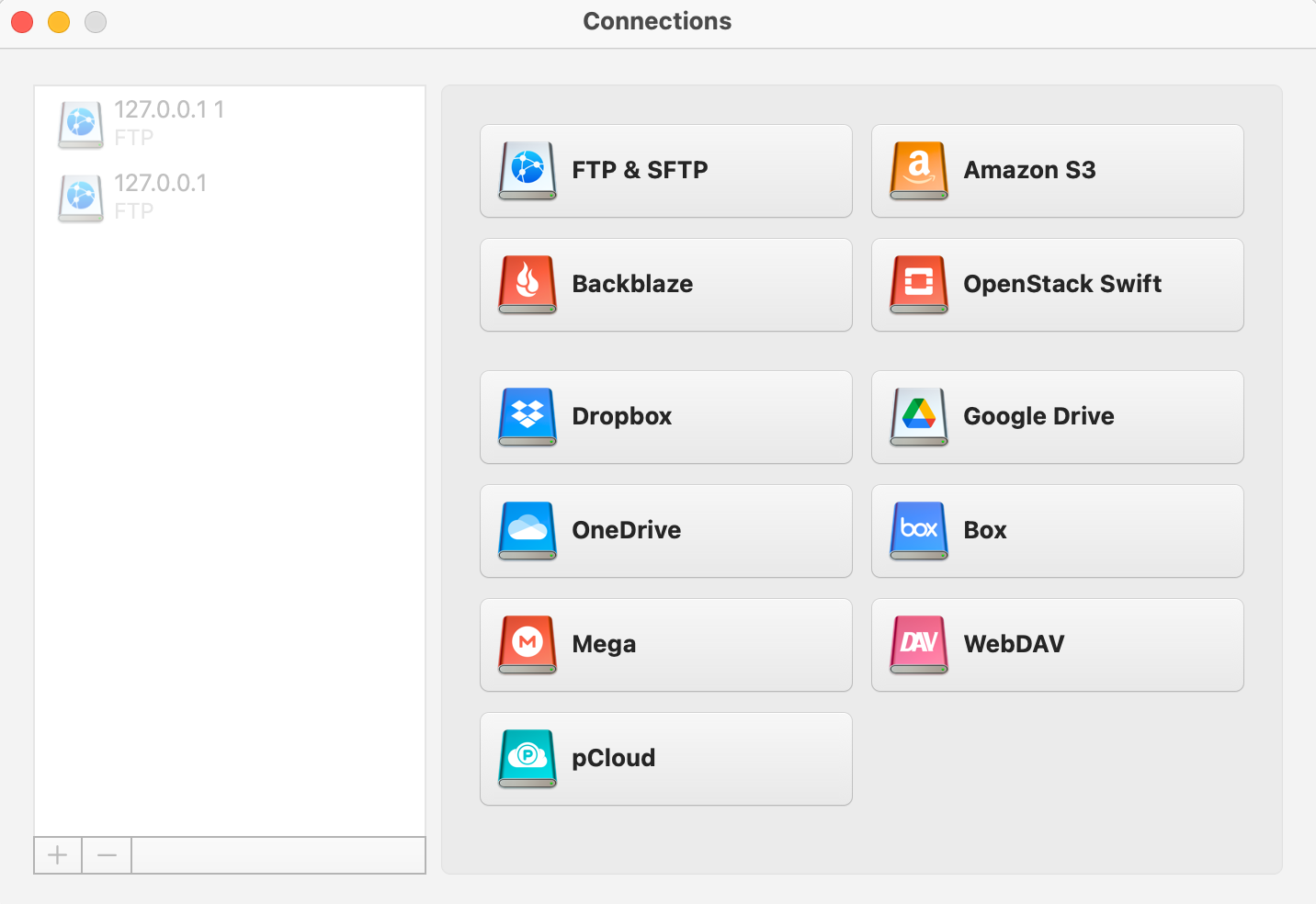
- Extended Protocol Support: Offers a broader list of consumer-grade protocols, including MEGA and pCloud (not supported by RemoteDrive), making it a versatile choice for users with fragmented storage across smaller providers.
- File Encryption: Unlike RemoteDrive, CloudMounter includes a built-in encryption feature, allowing users to secure files stored on their mounted cloud drives with an additional layer of protection.
- Advanced Hardware Authentication: Provides enhanced protection for SFTP servers by supporting FIDO and FIDO2 compatible hardware keys. This includes full compatibility with YubiKey, OnlyKey, Titan Security Key, FEITIAN ePass, and others, alongside standard Two-factor authentication (2FA).
CloudMounter is suited for users who require access to a wide range of consumer cloud services, built-in file encryption, and prefer a drive that attempts to stay put in the Finder sidebar, even across application restarts.
Comparison Table: RemoteDrive vs. CloudMounter
Platform: macOS (RemoteDrive) | macOS, Windows (CloudMounter)
| Feature | RemoteDrive (Active Model) | CloudMounter (Hybrid Model) |
|---|---|---|
| Mount Behavior | Clean Exit: Drives disappear upon quitting the app. | Persistent: Sidebar icon stays if app is closed; attempts re-mount on restart. |
| Protocol Strengths | Enterprise: Supports Google Cloud & Azure. | Consumer: Supports pCloud & MEGA. |
| File Encryption | None | Supported: Built-in encryption for cloud files. |
| Auth & 2FA Support | Seamless OAuth: Uses system default browser; supports 2FA & Keys. | Hardware Keys: Supports FIDO/FIDO2 (YubiKey, etc.) & 2FA; OAuth locked to Safari. |
| Pricing Model | $9.99/year: Simple, all-inclusive subscription. | $44.99/year or $149.99 Lifetime license. |
Summary: RemoteDrive is the choice for users seeking a lightweight, high-speed tool with enterprise-grade storage support for Azure and Google Cloud, featuring system-native browser behavior. CloudMounter is a specialized alternative for those who need built-in file encryption, hardware security keys (FIDO2), or access to consumer-focused storage like MEGA and pCloud.